Call Us: UK +44 (0)1273 666 355 USA +1 212 386 5676 Australia +61 (0)3 9682 2441 Russia +7 (0)383 332 40 55

Project Manager: Keep up-to-date - Wherever You Are

Project Management Software

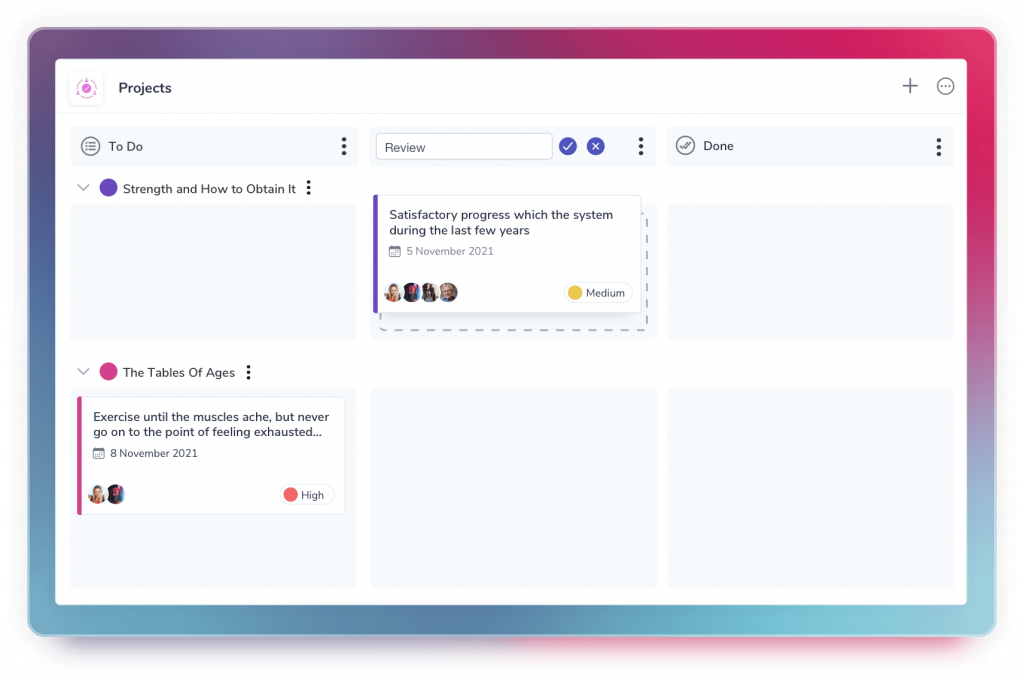
Project Manager Video IconThe Claromentis™ Project Manager software application enables teams to collaborate on projects - coordinating activities, controlling information and monitoring project progress with state-of-the-art management tools.

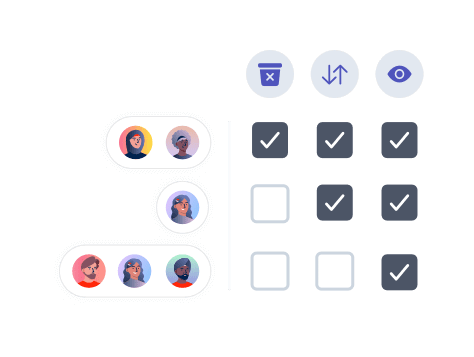
Permission controlled project areas enable teams to share project-related resources and interact using collaborative tools. From one key point they can access and update project documents, budgets and timesheets, as well as use scheduling tools to plan activities and monitor progress. Per project permissions ensure that teams are informed about the projects they are involved with but are not distracted by other projects with which they are not involved.

In this complete project management software solution full Project Reporting is available, with RAG reports and Tasks status reports complimenting the Gantt chart view of the project. Online Project Management is fully integrated with other business applications within the Claromentis Framework.

Features and Benefits
Applications
Demo
Resources

Features and Benefits

Project Rooms and project information integration

The idea of tight integration of several disparate information management applications led to the concept of a project room - a hub for different objects that are in fact connected to the same project - and an application that maintains grouped sets of projects with all of their associated information, so providing online project management software across a broad set of information objects.

What this means for the customer is that you can set up new project rooms for each project programme, and automatically create new projects with full associated version controlled project documents, collaboration centers, related information and Gantt charts for the team to review and act on progress. This brings more flexibility and convenience, as most companies have departments which each run multiple projects, and with this new level the structure of the project management software application comes closer to structure of a company while staying very simple and clear for the end user - I can contribute and review appropriate projects for me - and am not aware of other projects my colleagues are working on.

Simple and Easy to use Web Based Project Management Software

Claromentis project management software provides web-based access to comprehensive project-management tools, helping users to collaborate on projects - wherever they are. Easy-to-use administration tools enable companies to tailor Claromentis Project Manager to fit the precise needs of their business.

Each Project can have a central access area to:

  • Gantt Chart of tasks
  • Metadata
  • References
  • Resources
  • Documents
  • Forums
  • Permission Management
  • Preferences
  • A comprehensive e-form solution through process management software

Of these the most powerful for project managers and project team members are Gantt Charts,Document Manager, and process manager - these are discussed below.

Project Programme Dashboard

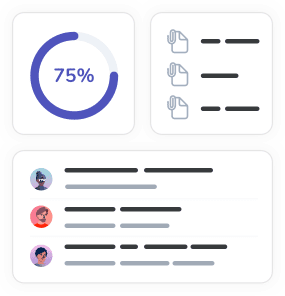
The landing page of the Project Management Software Product is the Project Overview Dashboard. From here the user can review 3 main sections, and can switch between all projects they are involved in, all projects they manage, and all active projects where they at least have view permissions. If they have permissions they can also create projects from this area.

The three areas of the project dashboard are:

  • Project overviews - Progress summary. Percent completed and number of completed and remaining tasks.
  • Tasks – a list of tasks that I am actively involved in which are currently active, and listing which project they are from
  • Recent Activity – shows me all activity in those projects selected.

This central, convenient landing page is an extremely useful information area for each user, from where they can with one click get to the project or task that they need.

Online Gantt Chart

For each project a user-friendly Gantt chart tool enables team members to schedule events, mark key tasks and milestones, and keep track of progress. This graphically summarizes the project tasks and milestones.

The following information can be recorded on each project task:

  • Start date - The earliest date when allocations for the task can begin
  • Finish date - The latest date for task allocations
  • Task metadata and Key dates
  • Resources required - This refers to people or fixed assets (such as equipment).
  • Link to a parent task
  • Percentage of completeness

The Gantt chart uses Ajax to provide a complete drag and drop interface to edit tasks and key dates.

Document Management for Project Management Software

Integration with the Claromentis Document Manager application enables users to access powerful document management functionality. From within projects team members can collaborate on the creation and development of project documents, while benefiting from comprehensive version-control features.

All projects can have their own folder systems within the Claromentis Document Manager application. As well as enabling easy collaboration on document creation, this also allows the project team to track revision history and use version control tools. By integrating with the powerful Java-based advanced searching application even large engineering and construction plans can be searched effectively. With the new commenting functionality users can share opinions of relevant features of a document.

E-form Integration for Project Manager

The power and functionality of Claromentis process manager provides a comprehensive form builder to manage any issues liked to the project. Each project can have it’s own individual e-form, including customized fields, notifications, handlers, Plug ins and SLAs to ensure that all aspects of a projects progress and status can be accurately monitored, reported on and escalated as required.

E-forms can be used in web project management for a variety of reasons – reporting concerns, requesting resources, materials or as a general support portal for all involved in the project.

Issues can be read by RSS readers to ensure appropriate distribution and availability of important project management data.

Project Statuses and workflows for Online Project Management

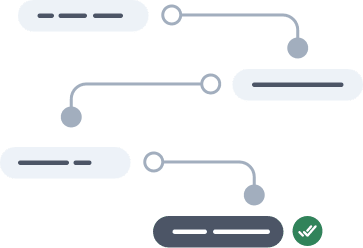
Claromentis project management software provides configurable project statuses and workflows between them to ensure a project moves logically and correctly along the required project workflow.

Project Metadata, References and version control

Easy configuration of metadata enables companies to define the information that is captured for each project, to suit their own business processes. References allow the posting of notes, links and attachments that provide relevant information for the project team.

At any time, the authorized owner of a project activity can create a new version. The previous version is stored within the Claromentis Project Manager application and can then be archived using the archiving tool. Each version is identified and described.

Notifications of changes to the project

A section for each project allows every team member to indicate their level of need for information alerts when something changes in the project. This is particularly useful for users that are for example from a partner or supplier company, and accessing the Web Project Management product using extranet project permissions. By setting their preferences to receive a notification on all possible changes to the project, they can continue to work on other projects knowing that if anything changes they will receive an email.

Project Management Software Applications.

Project

The main Application within Claromentis Project Manager is of course Project itself. With its concept of project rooms to group related projects, availability of extranet access as well as user based permissions, the Project Application provides the task and resource based information and functionality required to manage projects over the web. Tasks are managed on a drag an drop Gantt chart to present information on progress graphically to all authorised users.


Documents with advanced searching

Project documents are a key to the success of any project, and Claromentis Document is fully included within this product. The industry strength application provides collaboration, version control and powerful Java based searching to ensure the project documents are fully available to team members when needed.


Forums for Collaboration on Projects

Integrated functionality within the Claromentis Portal environment enables team members to set up project-specific discussion forums to share and debate ideas.

A forum is automatically created for each project activity. Here, users can post information, or questions and answers on relevant topics for the project activity.

The forum enables easy collaboration on issues related to the project activity. Functionality within the Claromentis Portal software environment provides owners with the option to moderate forums or not, as required. Combined with document commenting this provides the ideal platform for sharing ideas about the project and associated documents.


Also Included within the Project Manager Product

People, Publish and News

The people application is a core part of project manager, so that resources, document owners and information editors are clearly identified and permissions defined effectively. If required Publish can be used to create a project portal, with permission based menus of project information created and maintained using the Publish application.

If the projects are large the project portal can also benefit from the Claromentis News application – providing tagged and channelled news about the projects.

Project Manager Software Demo

If you have any questions about our Project Manager product, please contact us. We will be pleased to provide you with an individual webinar or answer any questions that you may have.

Project Management Resources, Job Vacancies Training and Consultancy

Claromentis partner with Wellingtone to provide people and services where required in implementing our Project management software.

From Our Blog

Intranets and Talking Heads Videos

Talking head videos can be irritating intranet content after the first time you see them.

New Intranet Options

For many companies a completely bespoke intranet design should not be their main focus. They are ...

Document Workflow in Claromentis 5.6

Document Workflow is one of the key modules of Claromentis Document Management System There are ...

Intranet 2.0 – are you missing the point?

Intranet 2.0 is a lot more than blogs and Wikis.

Intranet Application Linking

Direct integration between intranet applications for managing leads, sales and projects are ...

Process Manager Automation

Manual intervention in automated processes.


Datasheet

Project Manager Datasheet

Live Demo Icon

Free Live Demo

Access to our example Intranet System


Contac Us Icon

Contact Us

Send us your questions


Online Demonstration Icon

Book an Online Demonstration

7 Reasons to Choose Claromentis Intranet Software

Log-in to Support Portal

Our Clients