

Last Updated: 21st September 2026
When it comes to digital transformation, simplification is key.
Though it can be tempting to purchase the latest, shiniest platforms on the market, you run the risk of falling into the IT sprawl trap. This is where you overbuy disparate software without considering how it works as a whole. It’s akin to taking ten different medications for ten different problems, rather than taking one encompassing pill that can solve them all.
This can result in a series of problems, including siloed data, process non-compliance and overspend. (Indeed, according to recent research, around a third of all IT spending is wasted.)
To avoid this fate – and meet your digital transformation goals – it’s better to invest in a holistic digital workplace solution like Claromentis.
In this article, we’ll explore the benefits of the full Claromentis Enablement Hub product, including individual platform features and use cases.
What is a digital enablement solution?
First thing’s first, let’s define what we mean by am ‘enablement solution’.
In short, a business enablement solution (sometimes referred to as a digital workplace) is an ecosystem of products designed to improve collaboration, operational efficiency and growth across your business.
Available under one software investment, these products offer broad functionality and integrate seamlessly with one another. This reduces the likelihood of siloed data, miscommunications and process non-compliance. Not to mention, it can significantly lessen the resource burden on your IT department.
The result? You can simplify your tech stack and reap the many rewards of effective digital transformation.
The Claromentis modular approach
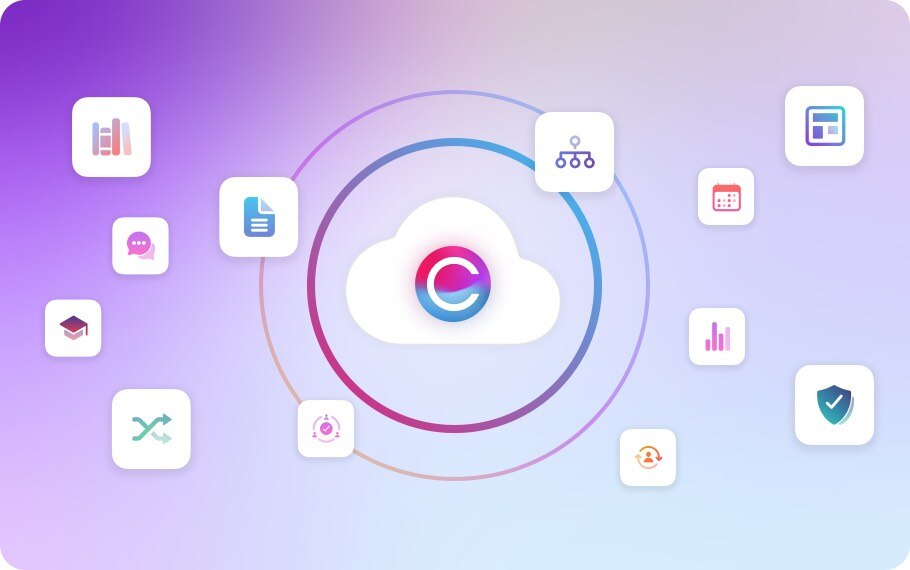
Available in the cloud and on-premise, Claromentis Enablement Hub is a secure, intuitive and highly customizable solution, comprising three powerful products:
- An intuitive intranet
- A scalable learning management system (LMS)
- A comprehensive business process automation software
Depending on your requirements, you can implement one, two, or all three of these products.
As we'll cover later on, each product contains its own specific applications and features. You're free to use all of the features available to you or 'hide' the ones you don't need. This allows you to build a truly bespoke enablement solution – while only paying for the functionality you need.
What packages are available?
To make things simple, you can choose between these Claromentis implementations:
- Claromentis Core. The basic Claromentis package contains our AI enabled intranet with project management features. This is a suitable choice for businesses that require an extensive AI enabled intranet with added productivity features.
- Claromentis LMS. This package contains the Claromentis learning management system, as well as our feature-rich intranet platform. It is perfect for organisations looking to build an e-learning portal for their customers, clients, contractors, students or otherwise.
- Claromentis BPA. Our BPA package contains InfoCapture, our business process automation software, as well as our intranet platform. This is suitable for organizations that require process automation and management functionality – or those that would like an intranet with built-in automation.
- Claromentis Enablement Hub. Perfect for businesses that require e-learning and automation alongside a powerful AI intranet, we offer a full 3-in-1 solution.
Inside the 3 Claromentis Enablement Hub platforms
Now, let's uncover the features and use cases of each Claromentis Enablement Hub platforms in turn.
Before we go into the details, it's worth noting that security and framework functionality, including granular permissions, single sign on (SSO), and two-factor authentication come with every Claromentis Hub as standard - including our Franchise Hub and Charity Hub products. You can read more about these framework features here.
1. The Claromentis AI-enabled Intranet
The Claromentis Enablement Hub intranet is a feature-rich, AI-powered platform that works hard for your people and processes. In addition to our all-important communication features, the platform allows you to collaborate seamlessly, manage projects and tasks, improve compliance, and centralize your important policies and documents.
Intranet features
Here's a quick overview of some of our intranet features:
- Design panel. Use your own logo, colour schemes and fonts to create an intranet that aligns with your unique brand identity. With drag-and-drop page building, widgets and customisable themes, it's simple for anyone to create effective intranet content.
- AI-powered communications. Write engaging AI-assisted news articles and blogs, broadcast urgent updates via unmissable pop-up announcements, and encourage your users to generate their own content.
- Comments. Interact with intranet content with comment threads, likes and reactions.
- Knowledge base. Publish content-rich articles for knowledge sharing, organize them with convenient tags and categories, and encourage users to ask questions if anything's unclear.
- AI-enabled search. Enable your employees to find documents, policies, processes and more quickly with powerful AI intranet search capabilities – complete with AI-generated summaries and predictive results.
- Document management. Create, edit and store your documents in a secure, version controlled document management system.
- Policy management. Upload your policies, view an archive of historical versions, and use the helpful AI assistant to improve information retention.
- Project management. Set up dedicated project spaces, assign tasks and deadlines, track milestones with visual progress bars, and choose between list or Kanban views to visualize your work.
- Collaboration tools. Set up discussion rooms, message colleagues 1-1, and facilitate employee-to-employee communication via forums.
- Polls and surveys. Conduct public or anonymous questionnaires to gather valuable feedback and capture ideas.
- Automated workflows. Streamline everyday HR processes – including holiday booking, expense management and room booking – with built-in self-service automations.
- Mobile app. Give your frontline and on-the-go teams full intranet access from any device, so no one is left out of the loop.
- Content governance. Protect brand integrity, ensure compliance, and keep your intranet content accurate with approval workflows, version control and pre-set review dates.
- Analytics and insights. Track user engagement, internal comms throughput and unit performance to measure ROI and identify areas for improvement.
- Locations. Monitor operational performance, financial data and compliance across departments and/or locations with data-rich dashboards.
- Badges. Reward employee achievements with custom badges to boost engagement and motivation.
You can access the full list of features here. Again, these come part-and-parcel with every Claromentis product – whether you're looking for an intranet, an e-learning platform, or a business process automation tool.
Intranet use cases
Our intranet software is incredibly versatile, meaning no two intranets are ever the same. Depending on your industry and business needs, you can utilize the intranet in a plethora of ways.
Some use cases include:
- Internal communications. Use the intranet as a hub for sharing culture documentation, team events and company communications.
- External communications. Build secure extranet portals for stakeholders, contractors, customers, students and more. This can be brilliant for secure information sharing, relationship building and collaboration.
- Employee collaboration. Allow your dispersed workforce to share knowledge, talk 1-1 and collaborate on documents in one easily accessible platform.
- Engagement and retention. Monitor employee morale via polls, surveys and built-in analytics and use the communications tools and rewards systems to drive engagement.
- Human resources. Streamline your HR processes and give your employees the opportunity to self-service important information. Use the intranet to share company policies, generate onboarding information for new hires, and provide automated, self-service methods for holiday booking and expense management.
- Document and asset management. Store all of your multimedia files, brand assets, project work and more in one easily accessible, centralized location. This can reduce the time spent searching for important work materials.
- Project and task management. Centralize your departmental and one-off projects in dedicated, permissions-based project spaces. Whether you're planning compliance audits, tracking marketing campaigns, or organizing agile development sprints, the built-in project management tools improve accountability, task transparency and cross-team collaboration.
2. The Claromentis Learning Management System
Eager to upskill your workforce or support your classroom lessons? Deliver training at scale – for any audience – with our SCORM-compliant LMS. With extensive customization, automation and analytics capabilities, you can ensure your e-learning experiences are as effective and rewarding as possible.
LMS features
If you opt for the LMS or full Claromentis Enablement Hub package, you’ll receive the following capabilities:
- Course and module building. Build engaging e-learning courses using platform-native content (including documents, policies, and knowledge base articles) as well as external content. This includes any SCORM 1.2 standard content.
- Learning pathways. Connect your learning courses using unique qualification codes to create step-by-step learning pathways.
- Quizzes. Test user knowledge after a course or module with engaging quizzes.
- Training events. Create in-person or online events and incorporate them as part of your learning curriculum.
- Subject experts and tutors. Assign content experts to your modules. Users can reach out to these tutors for learning support and guidance.
- LMS triggers. Set automated rules and actions for when a user completes a training course, such as changing their permissions settings or assigning them a badge. You can also use these triggers to reveal hidden content on your e-learning portal, which can be great for moving forward student education, progressing new hires, or onboarding contractors.
- Training records. Record user achievements in individual training records that automatically update after every course completion.
LMS use cases
Businesses of all sizes and industries can harness the LMS for any e-learning and training purpose.
Some of the top use cases include:
- Education. Support in-classroom learning with accessible courses and revision materials, and test student knowledge with gamified quizzes. This can help to boost information retention and improve student grades.
- IT and compliance. Deliver mandatory IT training to your workforce to mitigate insider threats. You can also use the built-in training records to prove regulatory and/or standard compliance to your external auditors.
- Upskilling and career development. Provide competitive professional development opportunities to boost employee retention and create targeted pathways for bridging skills gaps.
- Onboarding. Streamline the onboarding process for employees, sales reps, contractors and more. With self-service learning and resources, your teams are free to focus on more high-value tasks.
3. Claromentis' Business Process Automation Software [InfoCapture]
InfoCapture is a highly flexible business process automation software that requires no code or technical wizardry. This means your technical and non-technical teams can automate any business process, no matter how complex, in order to:
- Boost operational efficiency and productivity
- Eliminate paperwork and tedious manual tasks
- Free-up time
- Improve process compliance
- Reduce human errors
BPA features
Features unique to InfoCapture include:
- E-form and workflows. Create highly customizable, repeatable e-forms and workflows for capturing information and streamlining manual processes.
- Service level agreements (SLAs). Label your tickets or processes as they move through pre-configured timescales. If the status remains unchanged before the timer is up, the SLA will flag the process as breached.
- Statuses. Automatically move your process through various stages, such as ‘new’, ‘in progress’, and ‘closed’.
- Notifications. Define rules for notifications, including which actions trigger them, what to include in the system message, and who to send the notifications to.
- Field conditions and triggers. Specify how you want your forms to change or react based on a field condition (a true/false statement) or a trigger (an exact change in a form). The former may alter field visibility, set an SLA, or progress the workflow. The latter may push through notifications or automatic field changes.
- Reporting and dashboards. View your process statistics and organize the data in visual dashboards.
TIP: Claromentis also provides bespoke application development services. So, if you’re looking for a specific plugin, get in touch with our development team to outline your requirements. Plugins could include: data validation in forms, automatic issues assignment, and advanced calculations.

BPA use cases
InfoCapture is an extremely flexible BPA platform. So much so, that many of our customers use it to automate intricate processes that they couldn’t on other platforms such as SharePoint.
That being said, here are just a few of the more general use cases:
- IT compliance. Build processes for ISO 27001 audits and evidence collection purposes, such as vendor assessments, asset registration and data breach reporting. This can speed-up the audit preparation process.
- Process compliance. Provide your employees with e-forms for generic or department-specific processes, such as logging meeting minutes, reporting health and safety problems, and filing complaints. With this standardized approach, you can avoid process non-conformity and human errors.
- HR. Design slick workflows for onboarding and offboarding employees, as well as e-forms for repeatable procedures such as back to work assessments.
- Customer support. Create an automated ticketing system or portal that encourages customers to report issues and self-service support. This can reduce customer churn while simultaneously freeing up your customer support teams.
- Customer processes. These can vary from business to business. For example, financial services organizations can use the software to generate mortgage application forms and eradicate long, inconvenient phone calls.
Combining the Claromentis Enablement Hub products and features
Though we’ve explained each platform and their respective features separately, it’s important to remember that they’re all integrable.
Depending on your package – and the features available to you – you could use Claromentis Enablement Hub as an intranet or a secure extranet, a sophisticated e-learning portal, or an automated hub for your business processes. Alternatively, you can create a full-scale enablement solution, equipped with all of the above.
Cross-platform features can work together in a number of ways. For example, you could:
- Use policies within the intranet ‘policy manager’ application as e-learning training modules.
- Build automated InfoCapture workflows and e-forms for your intranet portal (e.g. return to work forms).
- Use the intranet page building and design modules to create a bespoke e-learning portal (sans any typical intranet features – if you don’t need them!).
In other words, we give you the bricks and mortar, but it’s up to you to build your ideal enablement solution. That means the possibilities really are endless.
There’s more to explore…
We hope you’ve found this brief guide of Claromentis Enablement Hub and its three products useful.
If you’d like a deeper look at Claromentis Enablement Hub, we’d recommend scheduling a personalized demo with one of our experts. This gives you the chance to explore our integrated products up close, ask any burning questions, and determine which package is right for you.